

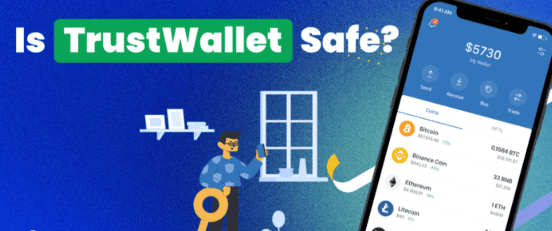
I’ll talk about whether trust wallets are safe to store large amounts of cryptocurrency in this post. A well-liked mobile cryptocurrency wallet, Trust Wallet is renowned for its ease of use and user control over private keys.
Even though it has robust security features like hardware wallet integration, PINs, and encryption, storing very big sums calls for extra care and best practices to safeguard your digital assets.
What is Trust Wallet?
Trust Wallet enables you to store your cryptocurrencies safely while retaining full ownership of them. It supports a multitude of cryptocurrencies (including Ethereum, Bitcoin, and Binance Smart Chain) spanning a variety of blockchains and has a simple, intuitive design. It also has a built-in, fully functional decentralized application (dApp) browser, staking options and supports hardware wallet (e.g. Trezor, Ledger) integration.
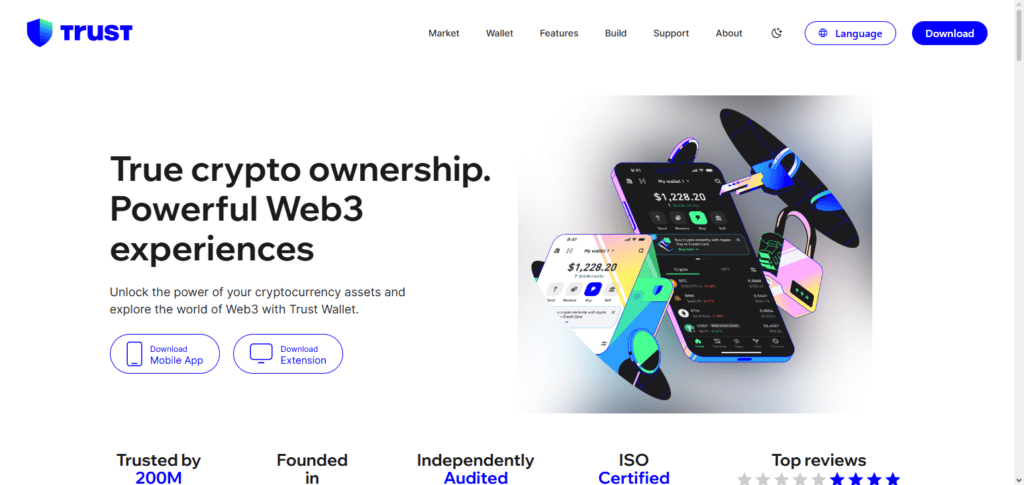
Unlike a centralized exchange, Trust Wallet users own their private keys, meaning users have full control over their cryptocurrencies and no one (other than the user) can access their funds. Trust Wallet also uses strong encryption, and has a PIN and biometric (i.e. fingerprint, facial recognition) authentication, and has simple recovery phrase backup and wallet recovery options.
Because Trust Wallet has such a high level of user security, strong security policies, strong policies, and provides such a wide variety of documentation and data crypto wallets, it is an excellent wallet for everyday use and for effective management of users’ crypto portfolios.
Is Trust Wallet Safe for Storing Large Crypto Amounts
Ownership of Private Keys
- Trust Wallet is a non-custodial wallet, so you have full ownership of the private keys. No one other than the key owner can access the funds, so they are more secure than centralized wallets.
Encryption and Authentication
- The wallet features local device encryption, and with the option of PIN codes and biometric authentication (fingerprint/face ID), users can set up barriers to defend against unauthorized access.
Risks of Mobile Devices
- It is a mobile wallet, so there is a risk of malware, phishing, and theft of the device. Keeping large amounts of currency on a mobile device increases the risk.
Lost Device Phrases
- If you lose your device, you can still recover funds using the recovery phrases (seed phrases). They must be stored properly offline so that they do not get lost.
Wallet Security for Large Amounts
- Trust Wallet has the ability to connect with hardware wallets, such as Ledger. This is great for adding more security for large amounts of crypto.
Insurance
- Trust Wallet does not give you insurance for your funds. If there is a hack or you lose your stuff, there is no insurance, and it is not like other centralized exchanges that give you some protection.
Best Practices
- When using Trust Wallet for larger amounts, consider using a hardware wallet, keeping recovery phrases offline, and avoiding dApps or links that could be risky.
Security Features of Trust Wallet
Private Key Control
- Only the owner of a wallet can gain access to the funds in the wallet. Private keys are stored on the owner’s device.
High-Level Security
- Transaction data and Private Keys are stored within the device using ever-encrypting systems.
PIN & Biometrics
- Wallet access can be protected by setting a PIN, fingerprint, and/or facial recognition.
Word Sprinkle Recovery
- If a phone is lost, a wallet can be restored using a 12 Word recovery phrase. Trust Wallet makes this available.
Hardware Wallets
- For larger amounts of crypto, Trust Wallet integrates with Ledger Hardware Wallets to utilize the safety of Cold Storage.
Secure dApps Browser
- Transacting with an exposed dApps Browser can be dangerous, and Trust Wallet solves this by utilizing a secure dApps Browser.
Code Transparency
- Trust Wallet is the most secure to use because it’s Open Source, and people can contribute to the Trust Wallet Code Security.
Best Practices for Safely Using Trust Wallet
Use Hardware Wallets for Large Amounts
- Trust Wallet can be connected to Ledger. By using Trust Wallet along with Ledger, you can store your high-value crypto as cold storage, so it is less exposed to the internet.
Secure Your Recovery Phrase Offline
- Never keep your 12-word recovery phrase somewhere digital. Instead, write it down on paper or metal, and keep it somewhere safe. Do not share your recovery phrase with anyone, as it cannot be replaced.
Set Up a PIN and Use Biometric Authentication
- Use a strong PIN to keep unauthorized users from accessing your wallet. Also, use your fingerprint or face to unlock your phone so that it cannot be accessed by others.
Set Your App and Device to Automatic Updates
- You can set your Trust Wallet and your mobile device to automatically install updates. This will prevent your device from experiencing security risks.
Use Only Official and Verified dApps
- Do not use any dApps that you cannot verify. Also, be sure to not click on any links that you do not know and do not respond to any linked phishing attempts.
Do Not Use Public Wi-Fi to Do Transactions
- Public Wi-Fi can lead hackers to your transactions, so do your transactions when you are on a secure Wi-Fi system.
Check Your Wallet Frequently
- Checking your wallet frequently will allow you to see any unauthorized transactions quickly so that you can resolve the issue swiftly.
Risks of Storing Large Amounts in Trust Wallet
Vulnerability of Mobile Devices
- Trust Wallet, as a mobile app, is susceptible to malware, spyware, theft of the mobile device, and other risks associated with the mobile device. Any of these could lead to loss of funds.
Loss of the Private Key or Recovery Phrase
- There is no way to recover funds if the private key or recovery phrase is lost, or if theft occurs.
Scams and Phishing
- Recovery phrases can be revealed in phishing scams, fake websites, and deliberately malicious apps that target users to install them.
Exploits of dApps or Smart Contracts
- Loss of funds or unauthorized access can occur when interacting with decentralized applications (dApps) or smart contracts that are not verified.
Lack of Insurance or Regulatory Protection
- Trust Wallet does not provide insurance protection like some centralized exchanges. When a hack occurs, or through a mistake, funds are not recoverable.
Poor Security in Mobile Device Settings
- If the mobile device from which funds are accessed is not in a compromised state, the funds secured on the device are also at risk to be lost if the device’s OS and security settings are insufficiently updated.
Risk of Large-Scale Theft
- Large amounts in a hot wallet increase the target risk for hacks or malware attacks.
Trust Wallet vs Other Secure Storage Options
| Feature / Wallet Type | Trust Wallet (Hot Wallet) | Ledger / Trezor (Hardware Wallets) | Centralized Exchanges |
|---|---|---|---|
| Control of Private Keys | Full control by user | Full control by user | Keys held by exchange |
| Security Level | Medium – depends on device | Very high – offline cold storage | Medium – dependent on platform security |
| Risk of Hacks | Higher – mobile device & phishing risks | Very low – offline device protection | Medium to high – target for exchange hacks |
| Ease of Use | High – mobile-friendly | Medium – requires device setup & connection | High – web/mobile access |
| Backup & Recovery | Recovery phrase (12 words) | Recovery phrase + device security | Password & 2FA |
| Insurance | None | None | Some exchanges offer partial insurance |
| Ideal For | Small to medium holdings, frequent transactions | Large holdings, long-term storage | Frequent trading, moderate holdings |
| Integration | Supports hardware wallets & dApps | Supports multiple wallets & crypto | Supports trading & staking |
| Cost | Free | Paid device ($60–$200+) | Usually free, fees apply |
Pros & Cons
| Pros | Cons |
|---|---|
| Full control of private keys and funds | No insurance for lost or hacked funds |
| Strong encryption and security features (PIN, biometrics) | Mobile device vulnerabilities like malware or theft |
| Supports multiple cryptocurrencies and blockchains | Dependent on device security and updates |
| Integration with hardware wallets for added security | Risk of phishing attacks or malicious dApps |
| User-friendly and mobile-friendly interface | Not ideal for very large holdings without extra precautions |
| Backup and recovery through 12-word seed phrase | Loss of recovery phrase means permanent loss of funds |
| Open-source code allows transparency and community review | Hot wallet exposure increases target risk for hackers |
Conclusion
With features like hardware wallet integration, PIN/biometric protection, robust encryption, and private key ownership, Trust Wallet is a safe and practical choice for keeping cryptocurrencies. However, it has inherent hazards as a mobile hot wallet, such as loss of recovery phrases, phishing assaults, and device vulnerabilities.
It is advised to use Trust Wallet in conjunction with a hardware wallet for sizable cryptocurrency holdings and to adhere to proper security practices, which include avoiding dubious dApps and keeping recovery phrases offline. While storing very big quantities necessitates extra vigilance and tiered protection to avoid potential threats, Trust Wallet is secure for daily use and medium amounts.
FAQ
Yes, Trust Wallet is secure for storing crypto, but for very large holdings, it’s recommended to use hardware wallet integration and follow best security practices.
No, Trust Wallet does not offer insurance. Users are fully responsible for securing their private keys and recovery phrases.
Enable PIN and biometric authentication, keep the app and device updated, avoid suspicious dApps and links, and store your recovery phrase offline.
The safest approach is to integrate Trust Wallet with a hardware wallet, such as Ledger or Trezor, for cold storage while maintaining easy access for transactions.
If your recovery phrase is lost or stolen, you cannot recover your funds. Always store it securely offline and never share it with anyone.