

I’ll go over how to use a transaction hash (TXID) to hunt down misplaced Bitcoin in this post. The TXID lets you keep an eye on the transaction on the blockchain in case your Bitcoin hasn’t arrived at the recipient or appears to have been misplaced.
You may verify confirmations, monitor status, and take action to safely address delays or problems by using blockchain explorers and comprehending transaction data.
What is a Bitcoin Transaction Hash (TXID)?
Each Bitcoin transaction that is recorded on the blockchain is given a unique alphanumeric identification known as a Bitcoin Transaction Hash (TXID). Consider it a digital fingerprint or receipt for a transaction. The network creates a TXID when you transfer or receive Bitcoin, which enables anyone to safely and publicly confirm and follow that particular transaction.
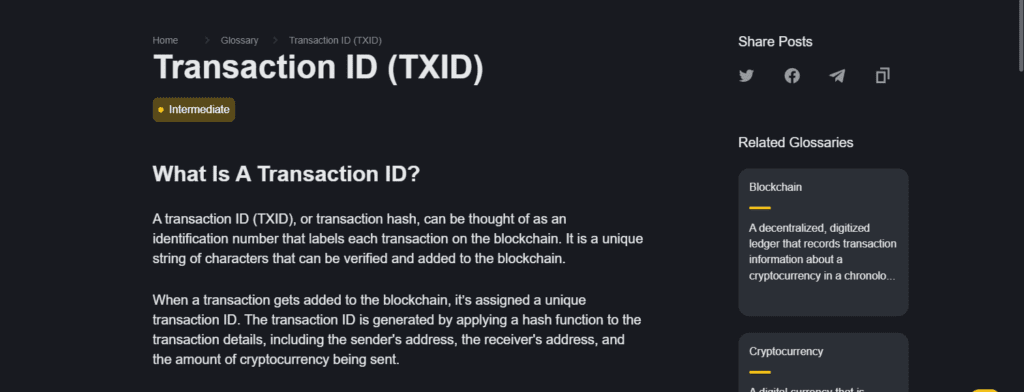
It includes information on the transaction fees, the amount transferred, the sender and recipient addresses, and the status of the confirmation. In contrast to private keys or wallet addresses, a TXID merely offers a means of transaction monitoring and does not grant access to the cash.
Users can verify if a transaction has been completed successfully, is still waiting, or has encountered problems like delays or mistakes by using TXIDs.
How to Track Lost Bitcoin Using Transaction Hash

Example of How to Track Lost Bitcoin with a TXID
Case: You sent 0.5 BTC to a friend and it hasn’t shown up in their wallet. You have the TXID.
Step 1: Take Note of the Transaction Hash (TXID)
- You should have the exact TXID with you from your wallet or exchange.
Step 2: Go to a Blockchain Explorer
- Go to a reliable explorer, for example, BlockChain.com or Blockchair or BTC.com.
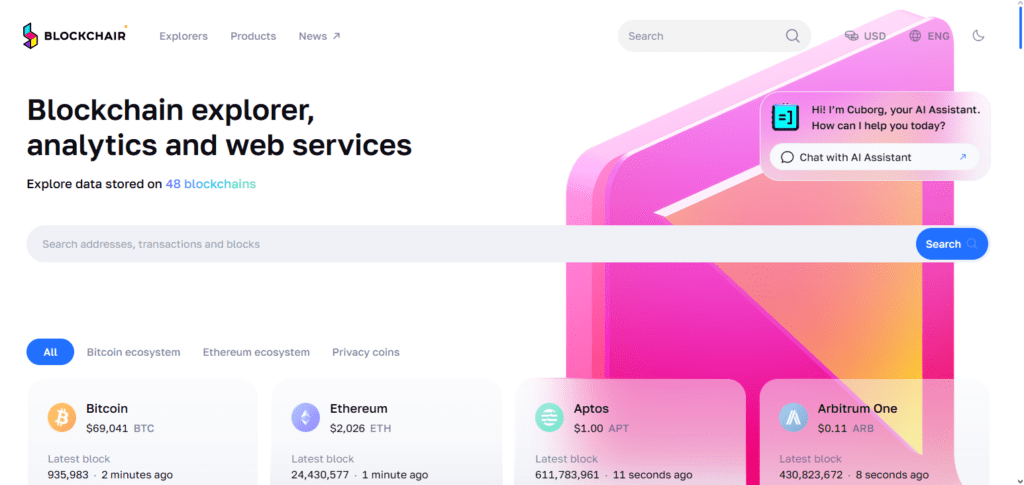
Step 3: Enter the TXID in the Search Box
- Type the TXID and click on search.
Step 4: Check the Status of the Transaction
- Look for confirmations.
- 0 confirmations: The transaction is still processing.
- 1 or more confirmations: The transaction is complete.
Step 5: Check the Transaction Details
- Confirm the:
- Sender/recipient addresses
- The sent amount
- The transaction fees
Step 6: Do Something About It, If It’s Unconfirmed
- If the transaction is unconfirmed, wait, or you can use a Transaction Accelerator.
- If the money was sent to the wrong address, you can contact the wallet or exchange; note that recovery options might be limited.
Tips to Prevent Losing Bitcoin in the Future
Double-check the Wallet Address
Ensure you check the recipient’s address before sending the Bitcoin to avoid sending it to the wrong address.
Use QR Codes when Possible
Address scanning can help reduce mistakes and human errors that can occur when typing addresses manually.
Backups of the Seed Phrases
Ensure you backup your seed phrase and store it somewhere safe. You will need it to access your funds in your Bitcoin wallet.
Two-factor authentication (2FA)
Ensure you enable two-factor authentication to prevent unauthorized access to your Bitcoin wallets.
Use of multi-signature wallets
These wallets add an extra layer of security to your Bitcoin by needing multiple approvals to allow a transaction.
Transaction Fees
Always check that your transaction fees are high enough to avoid stalling your transactions.
Test Small Amount First
To avoid losing a lot of money, always send a small amount when doing a test transaction, then send the rest.
Wallet Security
To avoid your wallet becoming rent, ensure you are up to date with your wallet software.
Which blockchain explorers can I use?
Blockchain.com Explorer
Track TXID, wallet addresses, and blocks and get updates in real-time.
Blockchair
Get descriptions of individual transactions and use the analytics tools with support for numerous other cryptocurrencies.
BTC.com Explorer
Get fast and accurate Bitcoin transaction tracking and see the details regarding confirmations and mining.
Blockchain.info
You can also use this Bitcoin Explorer for monitoring wallet and transaction activity.
Blockstream Explorer
Provides features for tracking the Lightning Network and past transactions in addition to other advanced options.
Insight Explore
Ideal for focusing on individual transactions in open-source analytics and detailed development.
What to Do If Your Bitcoin Didn’t Arrive
Checking the transaction status using the TXID on a trustworthy blockchain explorer is the first thing to do if your Bitcoin did not reach the recipient’s wallet. To find out if the transaction is finished, pending, or unconfirmed, look for confirmations.
You might try using a transaction accelerator to expedite processing if it remains unconfirmed for a long time. After that, make sure the recipient’s wallet address was right by double-checking it for typos.
If the Bitcoin was sent to a third-party wallet or exchange, ask for help from their support staff using the TXID. Always save documentation of the transaction, such as screenshots and the TXID, in case you need assistance getting your money back.
Common Reasons Bitcoin Can Be “Lost”
Mistakenly Sending Bitcoin to the Wrong Address
There is no way to undo an address mistake when sending Bitcoin.
Wallet Credentials Forgotten
Bitcoin can never be accessed if the private key or seed phrases are lost.
Damaged or Missing Hardware Wallets
Missing or damaged hardware wallets can result in Bitcoin being lost forever.
Pending Transactions
In the case of a pending Bitcoin transaction, it is possible that not enough transaction fees were paid to allow the payment to go through.
Issues with an Exchange or Wallet
Bitcoin may be stuck forever if the exchange is hacked, if the exchange is insolvent, or if there are technical issues.
Sending Bitcoin to Incompatible Wallets
Wallets that are incompatible with Bitcoin can be the reason for lost funds.
Bugs in Software or Human Errors
Improper management of a wallet or mistakes while configuring transactions can lead to losing Bitcoin.
Tools Needed to Track Bitcoin Using TXID
Blockchain Explorers
Websites like Blockchain.com or BTC.com let you enter a TXID to see details of a transaction.
Your TXID
You can find this in the transaction history of your wallet or the exchange.
Wallets with TXID Tracking Features
Some wallets let you monitor TXID’s for ease.
Wifi
Accessing blockchain explorers to check the status of a transaction requires wifi.
Optional
Services that help to speed up unconfirmed Bitcoin transactions.
Pros & Cons
| Pros | Cons |
|---|---|
| Allows you to track Bitcoin in real-time on the blockchain. | Does not recover Bitcoin sent to a wrong address automatically. |
| Provides full transparency of transaction details, including sender, receiver, and amount. | Requires access to the correct TXID, which may be lost or forgotten. |
| Helps identify unconfirmed or stuck transactions for timely action. | Can be confusing for beginners unfamiliar with blockchain explorers. |
| Works for transactions on any public blockchain, not limited to one wallet or exchange. | No solution for private wallets or mistakes involving lost private keys. |
| Can assist in support requests with exchanges by providing proof of transaction. | Cannot reverse transactions; Bitcoin is irreversible once confirmed. |
Conclusion
Using a Transaction Hash (TXID) to track missing Bitcoin is a dependable method of keeping an eye on and validating your blockchain transactions. It offers complete transparency and assists in identifying transactions that are unconfirmed or stuck, even though it is unable to retrieve Bitcoin that has been transmitted to the incorrect address or misplaced owing to forgotten keys.
To avoid irreversible loss, you can take prompt action by employing blockchain explorers, keeping your TXID close at hand, and comprehending transaction information. You may reduce dangers and keep control of your money by combining this with cautious wallet management, backups, and security procedures. All things considered, the TXID is a crucial tool for any Bitcoin user to safely monitor and handle transactions.
FAQ
A TXID is a unique alphanumeric code assigned to every Bitcoin transaction. It acts like a digital receipt, allowing you to track the transaction on the blockchain.
No, a TXID only lets you track the transaction. Recovery depends on where the Bitcoin was sent and the type of error, such as contacting the exchange or recipient.
You can find it in your wallet or exchange transaction history, usually labeled as TXID or “Transaction ID.”
Popular options include Blockchain.com, Blockchair, and BTC.com.
Unconfirmed transactions may be delayed due to low fees or network congestion. You can wait or use a transaction accelerator if supported.