


Best Crypto Mining Software has become an essential part of the industry—whether you’re an individual or part of an organization, choosing the right mining software is essential.
The software helps link your computer to the system, helping you validate transactions and earn the coins. For those just starting, you may want something simple, For experienced miners with multiple rigs, the right software will boost performance and improve profitability.
Standards differ with each brand, which is why prices and features differ. Some of the options include CGMiner, BFGMiner, Cudo Miner, and NiceHash. Each focuses on a different mining proficiency or type of mining.
What is Crypto Mining Software?
Crypto mining software allows computers or mining hardware to join the blockchain transaction validation process and earn cryptocurrency rewards. This software connects miners with mining pools and the blockchain network and coordinates the work of CPUs, GPUs, and ASIC devices to solve the computationally complex puzzles.
The software handles crucial functions such as monitoring the hash rate, power usage, temperature, and controlling the overall profit margins.
Enhanced crypto mining software also features intuitive dashboards, allows remote management and automated coin-switching, further streamlining the mining process for novices and experts to mine optimally and securely while maximizing profitability.
What is Bitcoin Mining Software?
Bitcoin mining software connects miners with the blockchain network and the mining hardware to help them solve intricate mathematical puzzles to authenticate transactions and receive Bitcoin compensation.
This software regulates the mining operation by allocating and balancing the computational pieces, observing the performance, and dispatching the finished blocks to the network. It is compatible with various mining hardware like ASICs, GPUs, and CPUs which makes sure the operations and profitability of the mining business run seamlessly.
CGMiner, BFGMiner, and EasyMiner are some of the most well-known software programs with various unique functionalities such as temperature monitoring, overclocking, and mining performance statistics.
How to Set Up GPU Mining?
Select Your GPU Hardware
Look for high-performance GPUs with a fine reputation for mining. Consider the NVIDIA RTX 3060 Ti, 3070, 3080 and AMD Radeon RX 6800 XT as good options. Consider the hash rate and power consumption. You will need a motherboard with multiple PCIe slots, a compatible CPU, at least 8GB RAM, and Gold-rated PSU capable of powering all GPUs.
Build the Mining Rig
Put the motherboard on a mining frame, attach the CPU, RAM, and storage with an SSD, and install the GPUs with the risers and motherboard. Make sure all power cables are secured. You will need to reinforce the cooling system with external fans. Once ready, attach the rig to a monitor and keyboard to complete the primary configuration.
Install Operating System and Drivers
For mining, you can use Windows 10/11 or Linux (Hive OS). Install the most recent GPU drivers for NVIDIA or AMD. Disable power-saving features, and unnecessary startup apps. Set virtual memory to a minimum of 16GB for mining software. Also, keep your OS updated for stability and security.
Download and Configure Mining Software
Pick mining software depending on your coin and hardware. Well-known GPU-compatible tools are NiceHash, CudoMiner, EasyMiner, MultiMiner, and Awesome Miner. Set up the software using your wallet address and the mining pool of your choice. Set mining parameters and enable auto-start to control mining intensity and thermal limits.
Join a Mining Pool
For GPU users, solo mining is seldom profitable. For consistent payouts, you can join a pool such as Ethermine, F2Pool, or ViaBTC. You can enter the pool credentials into your mining software. Rewards are dispensed according to the hash rate, thus improving ROI and minimizing downtime.
Setting Up Wallet and Security
Make a safe crypto wallet for mining reward. Choose between hardware wallets (Ledger, Trezor) and software wallets (Exodus, Trust Wallet). For added security, enable two-factor authentication, and don’t store coins on exchanges. Protect your rig with antivirus, firewalls, and good security practices to defend against remote access, hidden functions, and malware.
Performance Monitoring and Optimization
Dashboards from Awesome Miner, Hive OS, or Minerstat help track hash rate, temperature, and earnings. For increased performance, GPUs can be overclocked, but thermals must be managed to avoid damage. Fan curves can be adjusted and voltage can be lowered to reduce overall power usage. Hardware should be cleaned regularly, and mining software should be updated.
Key Point
| Software | Supported Hardware | Platforms | Key Strengths | Cost/Licensing |
|---|---|---|---|---|
| CGMiner | ASIC (some GPU) | Windows, Linux | Highly customizable, mature, open-source software | Free |
| BFGMiner | ASIC, FPGA | Windows, Linux, macOS | Modular design, dynamic clocking, highly reliable | Free |
| CudoMiner | ASIC, GPU | Windows, Linux | Auto-optimization, remote management, user-friendly | Freemium |
| Awesome Miner | ASIC, GPU | Windows, Linux | Centralized monitoring, advanced dashboards | Paid tiers |
| NiceHash | ASIC, GPU, CPU | Windows, Linux | Marketplace for hash power, algorithm switching | Profit-share |
| Multiminer | ASIC, GPU, FPGA | Windows, Linux*, MacOS* | Free | |
| EasyMiner | ASIC, GPU, CPU | Windows | Graphical interface, beginner-friendly | Free |
| BeMine | ASIC mining hardware rather than local GPUs or CPUs. | Web-based | Cloud mining. | Free |
| Cudo Miner | GPU, CPU, and ASIC hardware | Windows, Linux, Mac, etc. | First-time miners who want to earn Bitcoins from their desktop or laptop. | Free |
1. CGMiner
CGMiner is one of the “best crypto mining software programs.” By virtue of its open source code, CGMiner can operate with virtually all ASIC and GPU mining rigs. CGMiner is written in the C programming language and can run on any Windows, Linux, or Mac operating system.
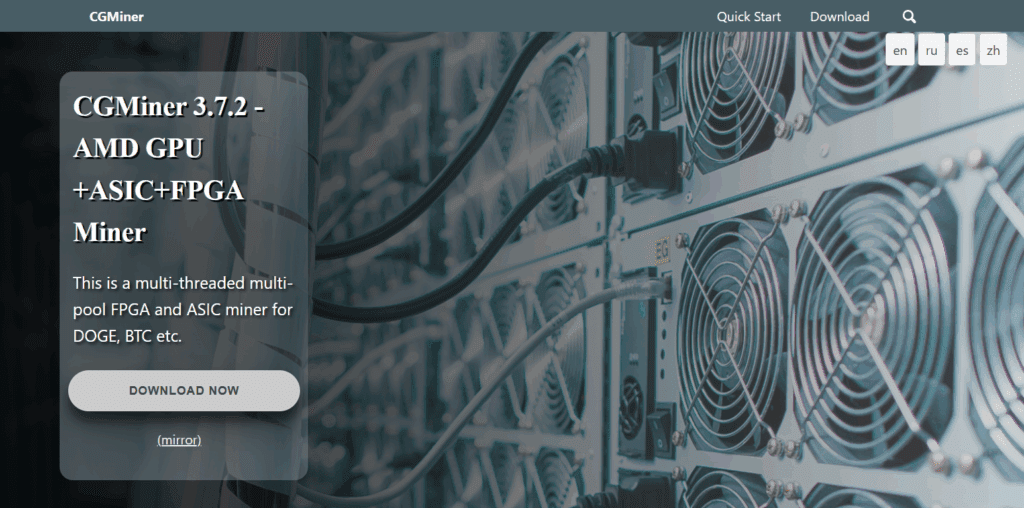
Some functions of CGMiner include real-time hash rate reporting, remote interfaces and control, and automated peak profitability.
CGMiner’s command line provides extensive control for individual software commands and can automate control of the fans. CGMiner is also reliable. That is why all professional Bitcoin miners use CGMiner.
CGMiner Key Features
- Command line software which is open-source for both ASIC and GPU mining.
- Supports multiple pool mining with auto-pool switching.
- Monitors temperature, fan speed, and hash rate in real-time.
- Supports all platforms (Windows, Linux, Mac).
- Manages multiple remote rigs.
Pros:
- Distinct and advanced users customization options.
- Community supported, free, and frequently updated.
- Long duration mining is supported and reliable.
Cons:
- Beginners may find the text interface frustrating.
- New versions have less GPU support.
2. BFGMiner
BFGMiner is also considered best crypto mining software option for versatility and performance for FPGA and ASIC devices. BFGMiner is a modular program which means it has dynamic clocking, fan control, and a remote interface.

Users may also adjust for multiple mining devices, interface idle thread detection, and temperature monitoring. BFGMiner is text-based which makes it lightweight, efficient and beginner-friendly.
Community supportive updates, customizability, and open-source software stimulation are also positives. For miners looking for reliable performance and real-time statistics, BFGMiner is suited for hardware optimization.
BFGMiner Key Features
- Specifically for ASIC and FPGA mining tools.
- Optimizes fan and clock for performance.
- Modular design structure, real-time performance and temperature metrics.
- Cross platform compatibility (Windows, Linux, and Mac).
Pros:
- Optimized with less hardware resources.
- High control levels of advanced mining hardware.
- Provides excellent support for professional mining setups.
Cons:
- A GUI is missing, which may limit beginners.
- Not the best choice for GPU or CPU mining.
3. Cudo Miner
Thanks to its user-friendly interface and fully automatic optimizations, Cudo Miner is considered the best crypto mining software for beginners. It also supports multiple algorithms, which accommodates various mining methods.
Cudo Miner supports mining with GPUs, CPUs and ASICs for Windows, Linux, and macOS. Cudo Miner’s software also tracks current market rates to determine which coins are most profitable to mine so users can maximize their earnings with very little work.

Cudo Miner’s remote management dashboard also permits users to monitor and control the software from any location. Users get the most important features for free, with additional ones available for purchase.
This is the simplest and most automated crypto mining software for those who are looking to Cudo Miner is the simplest and most automated crypto mining software for those looking to mine profitably.
Cudo Miner Features
- Hardware compatibility with GPU, CPU, and ASIC.
- Switches coins automatically for optimally profitable mining.
- Cloud-based remote dashboard for mining stats.
- Tools for temperature regulation and improved power efficiency.
- Software compatibility with Windows, Linux, and macOS.
Pros
- Auto-optimization is a true hands-off experience.
- Beginner-friendly graphical user interface.
- Performance analytics and remote control are seamless.
Cons
- Advanced benchmarking features require a premium subscription.
- Benchmarking is CPU intensive.
4. Awesome Miner
Awesome Miner is referred to as one of the best crypto mining software options for enterprises. It is compatible with ASIC and GPU mining. From one centralized console, users can administer thousands of miners, observe real-time hash rate assessments, and record live profitability analyses.
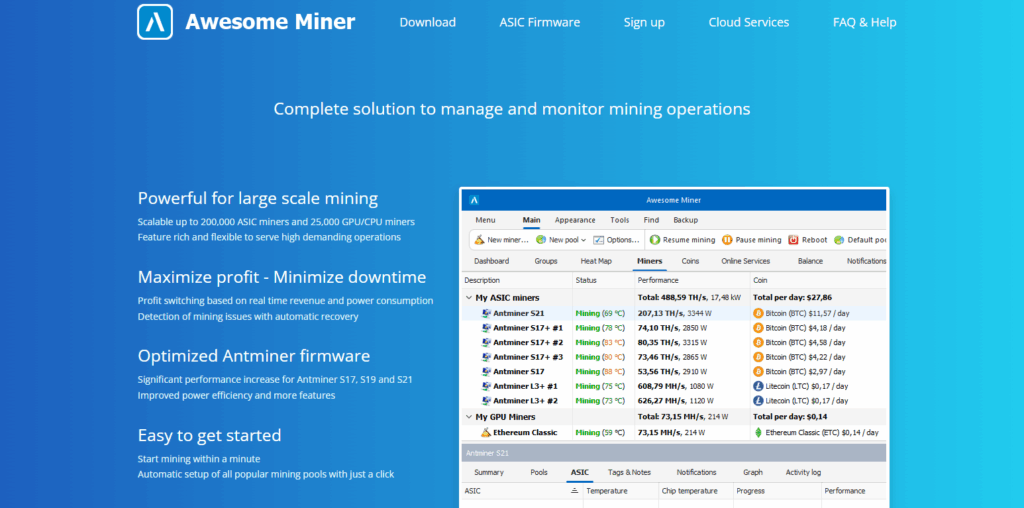
It is remarkable for its real-time automated mining pool and profitability-switching capabilities. Awesome Miner encompasses tailored precision alerts, automation for pool-switching, and extensive performance reporting.
It seamlessly integrates with popular mining frameworks like CGMiner and BFGMiner. There is a tier of pricing offered for premium options. Due to its extensive range of management features, Awesome Miner is best suited for users with mining farms and control.
Awesome Miner Key Features
- Monitors large-scale mining setups from a centralized control hub.
- Compatible with over 25 mining engines including CGMiner and BFGMiner.
- Track and manage mining pool profitability in real-time.
- Customizable alerts with pre-defined automation for spontaneous algorithm shifts.
- Available for Windows and Linux.
Pros
- Excellent for managing multiple rigs simultaneously.
- A rich dashboard with a plethora of monitoring tools.
- Scalable for professional or industrial mining setups.
Cons
- Only partial features till a subscription is completed.
- Advanced features are available for subscription and paid users.
5. NiceHash
NiceHash is a hash power marketplace and mining software for beginners and pros. It allows both CPU and GPU mining and automatically switches to the most profitable algorithm.

Mid-paragraph, NiceHash shines with its easy-to-use interface and built-in wallet, making it ideal for users who want to earn Bitcoin without a technical setup.
Operating on Windows and Linux, it is free to use with a minimal service fee. NiceHash is best for users who prefer simplicity and want to sell their computing power rather than mine specific coins.
NiceHash Key Features
- A marketplace for buying and selling hash power.
- Compatible with ASIC, GPU, and CPU for mining.
- Algorithm profitability auto-switching mechanisms.
- Integrated crypto wallet with real-time monitoring tools.
- Cross-platform compatibility with Windows and Linux.
Pros:
- Straightforward and user-friendly, making it perfect for newcomers.
- Mines the most profitable coin with no additional effort from the user.
- No advanced configuration is required for passive earnings in Bitcoin.
Cons:
- Withdrawing profit will incur platform fees which diminishes your overall profit.
- Trust and security will always be an issue due to a centralized system.
6. EasyMiner
EasyMiner describes itself as ‘the best crypto mining software’ for beginners. Being open source graphical software, EasyMiner works fine for ASIC, GPU, and CPU crypto mining, mainly for Windows.
EasyMiner has a straightforward, uncluttered interface which makes it easy to track all your performance metrics including hash rates and income along with the mining performance in real-time.

There are options for both solo and pool mining. EasyMiner enhances the mining process with a security wallet, mining logs, passwords, and custom mining logs.
“Moneymaker” mode lets users instantly mine Litecoins and in “Solo” mode custom coin mining is available. All in all, for new users, EasyMiner makes the mining process and monitoring as effortless as possible.
EasyMiner Key Features
- User interface for Windows mining software.
- Software works with CPU, GPU, and ASIC.
- Integrated real-time performance tracking and wallet.
- Offers both solo and pooled mining.
- Password security and logs tracking.
Pros:
- Very user-friendly, making it perfect for a beginner.
- Clear and visual interface for monitoring ease.
- Free option that is small and lightweight.
Cons:
- Mainly Windows only for compatibility.
- No advanced tools for professional usage.
7. MultiMiner
This software is known as MultiMiner. It is flexible and easy to use, whether you are just starting or you already have some experience. It works with GPU, ASIC, and FPGA on Windows, Linux, and Mac operating systems.
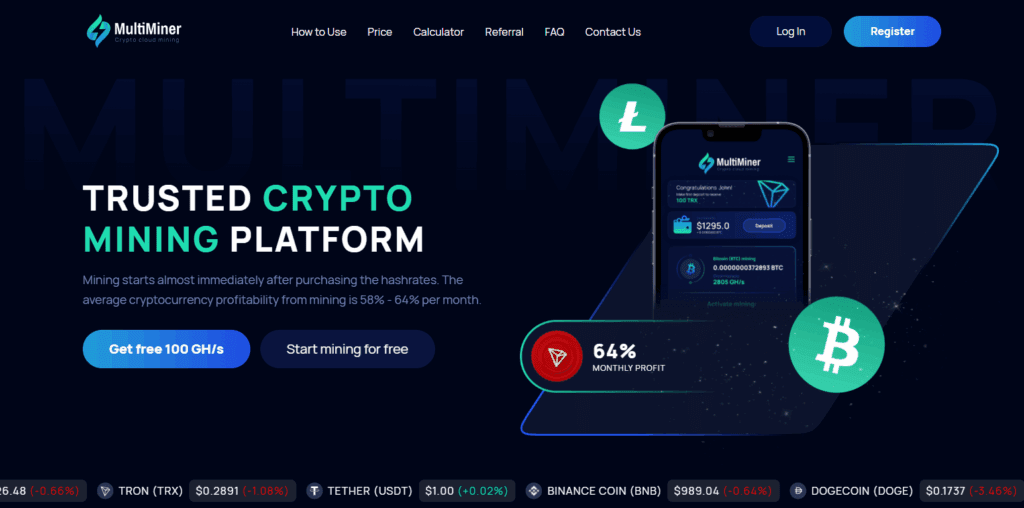
Built on top of BFGMiner, MultiMiner adds a friendly graphical interface that shows what hardware you have, your hardware’s profitability, and what coins you can switch to easily. It can identify your mining hardware and suggest coins that you can hone in on that would be the most profitable.
The software is simple to use but still offers remote monitoring and control features to help you manage multiple rigs. The software systems are very transparent and allow users to explore multiple cryptocurrencies.
MultiMiner
Key Features
- User interface for BFGMiner.
- ASIC, FPGA, and GPU devices are supported.
- Automatically identifies mining hardware and suggests profitable ores.
- Remote access mining control.
- Windows, macOS, and Linux are all compatible.
Pros:
- Excellent for newcomers which a simple user interface.
- Multiple crypto currencies can be mined with ease.
- Cross-platform with flexible mining configuration that auto updates.
Cons:
- Considering command-line tools, the setup is a tad slower.
- The backend functionality needs to install BFGMiner.
8. DiabloMiner
Another software is DiabloMiner. This is an efficient Java based software that focuses specifically on mining using a GPU. It works with OpenCL compatible devices, and specifically AMD and NVIDIA graphics cards.
It is also cross-platform and works on Windows, Linux, and Mac. One of the most interesting features of DiabloMiner is the command line interface that allows you to control mining and how to optimize it to reach your desired hash.
DiabloMiner allows multiple pool connections to help with mining and decreasing the friction it takes to perform mining. DiabloMiner is regarded as a lightweight client and offers low latency, which is a very desirable feature in mining. This is suitable for performing GPU mining where frame dropping is to be avoided.
DiabloMiner Key Features:
- GPU mining software written in Java with the OpenCL framework.
- Compatible with AMD and NVIDIA Graphic Processing Units.
- Works on Windows, Linux, and macOS.
- Fail-safe mining with multisource pooling.
- Minimal lightweight and low latency.
Pros:
- Performs efficient and stable GPU mining.
- Suitable for advanced users who enjoy mining by hand.
- Performs efficiently in multiple operating systems.
Cons:
- No GUI and works with the command line only.
- Less frequent updates and smaller user base.
Features Commonly Found in Mining Software
Multi-Pool Support with Automated Switching
Beginner and advanced miners alike benefit from cutting-edge software’s ability to connect to various pools and swap to the best paying options automatically. Constant earnings are assured while gaps between profit fetches are eliminated without manual oversight.
Real-Time Dashboards
Real-time monitoring and displaying of critical parameters such as hash rate, temperature, and uptime are crucial for quick performance problem detection and effective setup adjustments. High efficiency Bitcoin mining operations require focused performance optimization to consistently achieve desired output.
Overclocking and Power Management Tools
Investing in power and performance tools integrated in mining software optimally configure cryptocurrency mining hardware to achieve better output. Implementing automated controls minimizes overheating, maintains stable performance, and enhances profit margin by controlling power and hash rate efficiency.
Remote Management and Mobile Monitoring
Real-time mining performance monitoring and control, remotely from smartphones or laptops, eliminates the need for on-site supervision. Access to critical parameters such as hash rate, temperature, and uptime promotes uninterrupted Bitcoin mining operations from anywhere and at any time.
Auto-Restart and Watchdog Functions
The auto-restart and watchdog functions help make sure downtime is not lost by automatically restarting crashed mining software. These functions help with consistency and reliability, especially for new users, by reducing the need for manual oversight and ensuring uninterrupted mining operations.
Strong Security Features
Malware and cyberattacks on mining operations and profits can be avoided by employing trusted software such as CGMiner and Awesome Miner. Security practices such as the use of passwords, access restrictions, and encrypted channels help prevent unauthorized use and intrusion.
Conclusion
To sum up, one of the most important factors to consider while picking the most appropriate crypto mining software is the user’s level of experience, the hardware at their disposal, and what they wish to achieve while mining.
For performance and configuration along with open-source dependability, CGMiner and BFGMiner are the go-to software for professional miners owing to their robust command-line control and efficiency.
For those users with minimal experience, Cudo Miner, EasyMiner, and NiceHash are greatly appreciated for their simplicity and automation because they do have user-friendly dashboards and do automatic profit optimization.
For mining farms, centralized management, and scalability, Awesome Miner and MultiMiner are the best options. For high-end GPU miners, DiabloMiner is a good option if their account priorities speed and performance.
Every software offers particular benefits, whether it is CGMiner’s control, automation of NiceHash, or management, advanced, of Awesome Miner, confirming the necessity that miners consider their mining hardware, profitability objectives, and level of expertise.
FAQ
Crypto mining software is a program that connects your computer hardware (GPU, CPU, or ASIC) to a blockchain network, allowing you to validate transactions and earn cryptocurrency rewards. It manages hardware performance, connects to mining pools, and tracks real-time profitability.
For beginners, Cudo Miner, EasyMiner, and NiceHash are excellent choices. They feature user-friendly interfaces, automated coin selection, and real-time performance tracking, making it easy for new users to start mining without deep technical knowledge.
Advanced and professional miners often prefer CGMiner, BFGMiner, or Awesome Miner. These programs offer detailed control over mining hardware, support multiple devices, and provide features like remote monitoring, overclocking, and automated switching for optimal performance.
Awesome Miner and MultiMiner are ideal for large-scale operations. They allow centralized control of multiple mining rigs, advanced dashboards, and remote management. These features make them perfect for mining farms and enterprise-level users.
Many mining programs like CGMiner, BFGMiner, and EasyMiner are completely free and open source. Others, such as Cudo Miner or Awesome Miner, offer freemium or paid tiers with additional advanced tools for professional management and analytics.